
Construction company · South Tyrol
Internal knowledge assistant across your own file server
Part of: AI automation
The starting situation
The file server has grown over decades — several terabytes, mixed Office documents and CAD files (DWG, RVT, IFC). Employees search for minutes or hours until they find the right document. Knowledge is scattered across Outlook, SharePoint and deep folder structures.
How we solve it
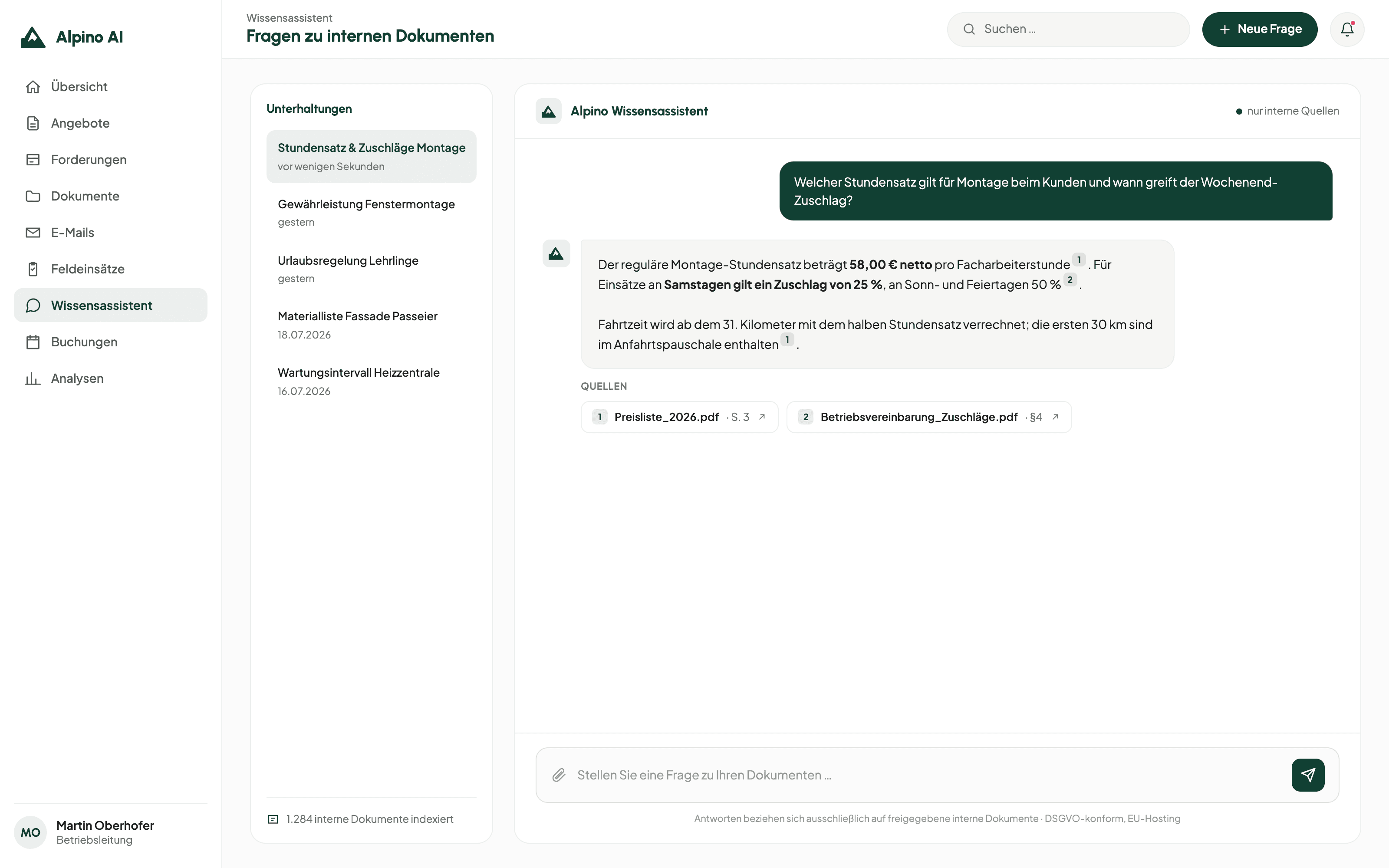
We index the file server directly, without data copies — including CAD metadata. Active Directory permissions are passed through 1:1 on every query; the AI model runs hybrid (agent + data on-prem, model encrypted externally). Employees ask in natural language, and the assistant answers with source references.
What you get
Nobody sees documents they would not be allowed to access on the file server. Search times drop noticeably, answers come with provenance, new sites are rolled out step by step — without copying data into an external cloud.
Do you recognise a similar process in your company?
If this use case feels close to your daily work, we can assess data availability, effort and a realistic first MVP together.
Why AI projects work →Starting point
In a construction company, the file server grows over decades: quotes, plans, minutes, contracts, photos, plus CAD files in formats such as DWG, RVT or IFC. Folder structures change with every generation of employees, duplicates appear, and much is also stored in mailboxes and on SharePoint. Search only works if you roughly know where something is.
Anyone who does not know where to look asks colleagues. This ties up exactly the experienced people who have the most to do. At the same time, employees use public AI tools on their own initiative, with no control over which data ends up there.
The solution
Alpino AI builds an internal assistant that answers questions in natural language and draws on the company's own data:
- No data copy: the assistant creates an index of content and metadata. The files themselves stay where they are.
- Permissions as on the file server: every request is subject to the rights from Active Directory. Nobody gets an answer from a document they would not be allowed to open on the file server.
- Answers with a source: for every answer, the assistant shows which documents it comes from, with a link to the original.
- Hybrid operation: index and agent run in-house. The language model is accessed externally over an encrypted connection. No dedicated graphics card is needed for this.
- Several sources: besides the file server, mailboxes, SharePoint and databases can be connected. CAD files are initially captured through their metadata.
The assistant is used in the browser or in Microsoft Teams.
Process and pilot
The first version only reads. After a short preparation, a pilot starts at one site with a group of key users from different departments. They work with the assistant for a few weeks and report where answers are missing or wrong. After that comes the evaluation: which questions come up most often, which sources are missing, how much search time is saved? Only then do further sites follow.
What stays with people
The assistant finds and summarises; it does not decide anything. Whether an answer is correct is checked by the employee against the linked source. The company decides which data is connected, and IT keeps control over permissions and access.
Connection to existing systems
The assistant connects to the existing file server, Active Directory and, on request, Exchange, SharePoint and internal databases. It does not write to any of these systems. If rights change in Active Directory, they apply to the assistant immediately as well.
Transferable to other companies
The pattern suits any company with grown file stores and scattered knowledge: construction and building services, planning offices, manufacturing with many technical documents, public administrations. A related case for guests instead of employees is described under Hotel assistant. An overview of the service is on our AI automation page.
If your employees spend too long searching, book a 30-minute initial conversation.
This use case is based on a real client project. Sector and region are named, the company itself remains anonymous.